

🔴Reddit×
⚫GitHub×
📘Docs×
🟠Stack..×
🐦Tweet×
🟣Figma×
⬛Notion×
🟤Slack×
📧Gmail×
▶️YT×
📗MDN×
🟦Stripe×
Too many open tabs
74 tabs. Nothing closes because each one is ‘important.’ Your laptop fan has opinions.
A simple bookmark manager for people leaving complex tools. Save a link in one click, add a tag and a note so you remember why, and find it later by searching your own words — not just page titles.
Free, no card. No folders to maintain. Works in the browser, on your phone, from the terminal, and in Raycast.
Today
You save something because it feels useful. A week later, it is buried under everything else. Good links should not disappear into a junk drawer.
74 tabs. Nothing closes because each one is ‘important.’ Your laptop fan has opinions.
/reading/later/actually/no-really/. You'll never touch that folder again.
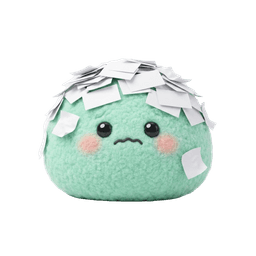
Something's in Notes. Or Apple Notes. Or that ‘scratch.md’ you loved last week.
3,400 links in Pocket. Last opened: two presidents ago.
A small flow for the links you actually want back. Three steps. No folders to babysit.
Paste a URL, use the browser extension, or send from your phone. It takes a second.
Add a tag or a short note so future-you knows why this link mattered.
Search, skim, and reopen what you need without digging through old tabs.
Start with copy and paste. Grow into shortcuts when you want them. No setup spiral.
View all integrations →
A saved link is only half the job. The other half is remembering why you saved it.
Keep related links together without making a big filing system.
The best ideas are the ones you come back to.
A useful reminder for the next draft.
Highlight a passage or annotate an image. Leave your thinking right where it happened.
Find by title, source, or the clue you left for yourself.
A better place for the important ones.
No. You do not need to import or organize your old bookmarks. Start fresh. Save only the links you actually want to find again from now on. Most people find that is about five to ten links a week, not hundreds.
Save the links you actually want to come back to, with the tags and notes that explain why you kept them.
Start saving